As corporate headquarters in Ghana continue to grow, workplace teams are often expected to support more employees, more office locations, and more business services without adding unnecessary administrative complexity. Facilities, IT, HR, administration, and security frequently manage requests through separate email inboxes, spreadsheets, phone calls, or paper-based processes. The result is slower response times, inconsistent service delivery, duplicated work, and limited visibility into operational performance.
A workplace management system is a digital platform that centralises workplace service requests, automates workflows, and provides operational visibility for corporate real estate teams, workplace managers, and facilities professionals. It helps organisations in Ghana deliver more consistent services, improve accountability, and support informed operational decision-making.
How does a workplace management system standardise service requests across departments?
A workplace management system standardises service requests by centralising submissions, automating routing, applying consistent workflows, tracking SLAs, and providing unified reporting. This approach improves response times, reduces manual coordination, strengthens accountability, and creates a more consistent employee experience across corporate headquarters in Ghana.
Why standardised workplace management system workflows improve operations in Ghana
Standardisation also creates a common operational framework across departments. Instead of each team following different procedures, requests move through predefined workflows with clear ownership, priorities, approvals, and reporting. For organisations headquartered in Accra or operating regional offices across Ghana, this consistency supports both day-to-day efficiency and strategic oversight.
Why fragmented workplace requests create operational challenges in Ghana’s corporate headquarters
Common sources of service requests
Corporate headquarters typically receive requests from multiple business functions, including:
- Facilities maintenance
- IT support
- Office administration
- HR workplace services
- Security and visitor access
- Meeting room reservations
- Employee relocations
- Workplace equipment requests
Each department may use different tools, making it difficult to coordinate activities across the organisation.
Problems caused by disconnected processes
Without a central platform, organisations often rely on:
- Email chains
- Spreadsheet trackers
- Phone calls
- Individual departmental applications
These disconnected methods create several operational issues:
- Lost or overlooked requests
- Duplicate work across departments
- Limited accountability
- Difficulty tracking response times
- Inconsistent service standards
- Poor reporting for leadership
For example, onboarding a new employee may require IT equipment, HR coordination, office space preparation, security access and administrative support. If each team works independently, delays in one department can affect the entire process, increasing the time required before the employee becomes fully productive.
Business impact
Fragmented request handling affects more than operational efficiency. It can lead to:
- Reduced employee productivity
- Delayed issue resolution
- Limited management visibility
- Higher administrative effort
- Difficulty identifying recurring operational problems
For organisations managing regional offices across Ghana, these challenges become even more significant because leadership requires consistent reporting, standard service levels and comparable operational data across locations.
Building a standardised workplace management system workflow
A single service portal for every department
One of the most valuable capabilities of a workplace management system is providing employees with a single location for submitting requests.
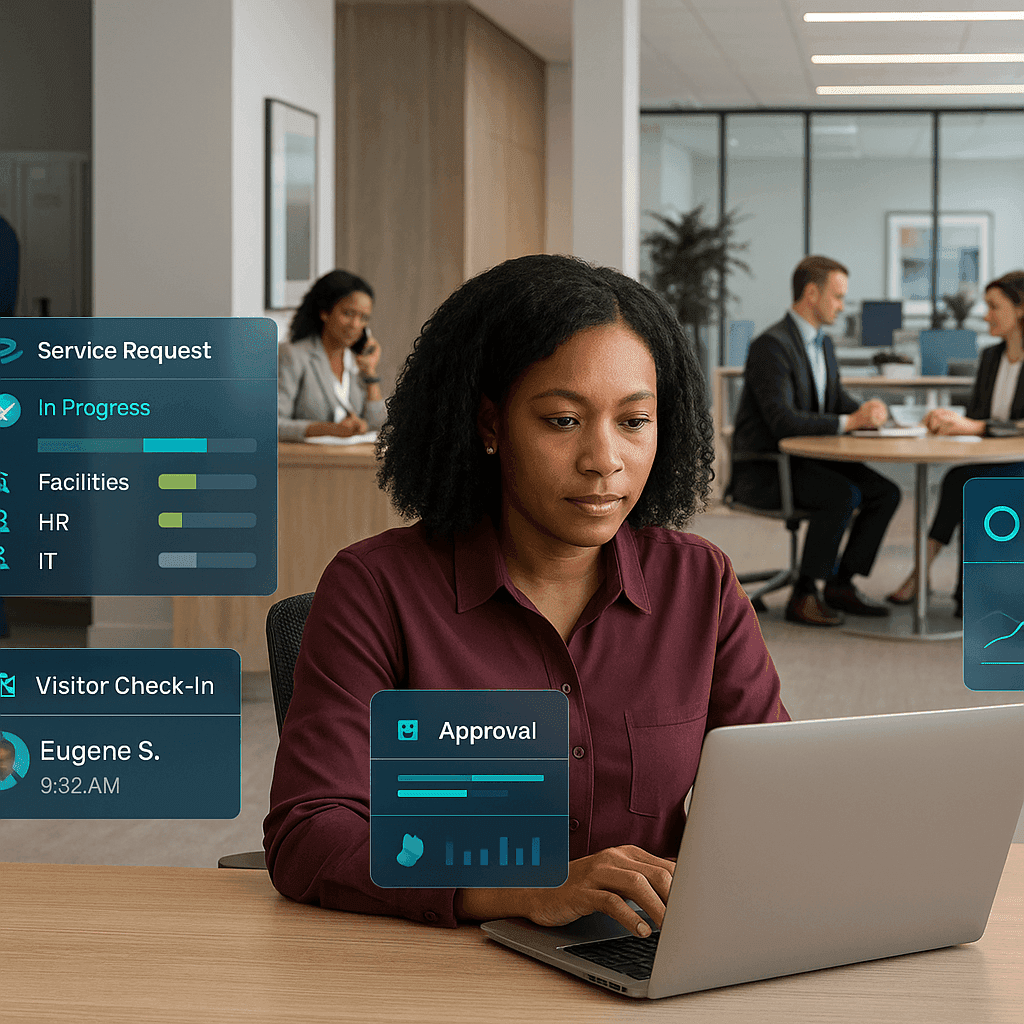
A unified service portal allows users to:
- Submit requests for any department
- Track request status in real time
- Receive automated notifications
- Access services from desktop or mobile devices
- View previous requests and resolutions
Employees no longer need to determine which department or individual should receive their request, reducing delays caused by incorrect routing.
Automated routing and approvals
Automation removes much of the manual coordination traditionally required between departments.
Workflows can automatically:
- Assign requests to the correct team
- Route approvals based on request type
- Escalate overdue requests
- Apply priority levels
- Monitor SLAs
- Notify stakeholders when request statuses change
This helps workplace managers maintain consistent service quality while reducing administrative overhead.
Standard service catalogues
A structured service catalogue defines available workplace services and expected delivery processes.
Examples include:
- Air conditioning maintenance
- Workspace moves
- Laptop requests
- Access badge replacement
- Meeting room support
- Cleaning requests
- Furniture requests
- Printer support
Each category can include predefined approval paths, ownership, response targets and completion requirements, creating consistency regardless of which department handles the request.
How integrated workplace management software improves cross-functional collaboration
Connecting facilities, HR, IT and workplace operations
A workplace management system becomes even more valuable when departments work from shared operational data.
Cross-functional collaboration improves through:
- Shared dashboards
- Unified reporting
- Common request histories
- Coordinated service planning
- Transparent workload management
- Shared visibility of dependencies
This enables facilities teams to understand upcoming HR onboarding activities while IT prepares equipment, administration arranges workspace allocation, and security issues building access without unnecessary delays.
Integrating with enterprise business systems
Many organisations benefit from integrating workplace operations with existing business systems, including:
- HR platforms
- Asset management systems
- Building technologies
- Identity management solutions
- Business intelligence tools
These integrations reduce duplicate data entry, improve data accuracy, and support a more connected employee lifecycle from onboarding through to offboarding.
Measuring operational performance
Centralised reporting enables leadership teams to monitor workplace metrics such as:
- Request volumes
- Resolution times
- SLA compliance
- Employee satisfaction trends
- Resource utilisation
- Department workloads
- Backlog trends
- Recurring service issues
Better reporting supports evidence-based operational decisions instead of relying on assumptions or manually compiled reports.
Choosing the Right Technology Platform for Long-Term Workplace Operations
Understanding the Role of a Computer Aided Facility Management System
A computer aided facility management system focuses primarily on facilities operations, maintenance planning, work orders, assets, and building services. Modern computer aided facility management software helps facilities teams schedule preventive maintenance, manage assets, monitor maintenance performance, and coordinate technicians more efficiently.
These capabilities complement broader workplace management objectives by ensuring workplaces remain safe, functional, and well maintained.
Workplace Management System, CAFM and IWMS
A workplace management system, a computer aided facility management system, and an integrated workplace management system each support different operational priorities.
- A workplace management system focuses on employee service requests, workplace workflows, and cross-department coordination.
- A CAFM solution concentrates on maintenance management, assets, work orders, and facilities operations.
- An integrated workplace management system (IWMS) provides broader capabilities, including workplace services, maintenance, real estate, space management, and portfolio reporting for larger enterprises.
Many organisations adopt a platform that combines these capabilities to support current requirements while allowing room for future growth.
When Organisations Should Consider an Integrated Workplace Management System
As organisations expand across Ghana or manage multiple office locations, broader functionality may become necessary.
An integrated workplace management system can provide:
- Portfolio-wide visibility
- Enterprise space management
- Asset lifecycle management
- Maintenance coordination
- Real estate reporting
- Standardised reporting across multiple sites
This broader visibility supports long-term planning while helping organisations maintain consistent workplace standards across headquarters and regional offices.
Where Integrated Facility Management Software Fits
Integrated facility management software supports organisations that coordinate multiple workplace services from one platform.
Typical capabilities include:
- Vendor management
- Asset lifecycle support
- Maintenance coordination
- Portfolio reporting
- Service performance monitoring
Businesses often evaluate these capabilities alongside their workplace management requirements to ensure the selected solution can scale with operational growth.
Implementation roadmap for corporate headquarters in Ghana
Step 1: Map existing request processes
Begin by documenting current workflows across every department to establish a reliable baseline before introducing automation.
- Existing request channels
- Approval processes
- Service owners
- Duplicate activities
- Manual bottlenecks
- Existing reporting methods
This assessment provides a clear understanding of current operations before new workflows are introduced.
Step 2: Define standard service categories
Develop a consistent service catalogue that includes:
- Request templates
- Standard approval paths
- Department ownership
- Service priorities
- Response expectations
- Required supporting information
Consistency across departments improves both employee experience and reporting accuracy.
Step 3: Configure workflows and reporting
Configure automated workflows that reflect organisational policies while avoiding unnecessary complexity.
Include:
- Workflow automation
- SLA monitoring
- Performance dashboards
- Escalation rules
- Department reporting
- Audit trails
Management should be able to measure performance across workplace services from a single dashboard while identifying recurring operational bottlenecks.
Step 4: Train users and monitor adoption
Technology alone does not standardise operations. Successful implementation requires:
- Employee training
- Department champions
- Change management
- Regular workflow reviews
- Continuous improvement based on reporting insights
Clear communication and ongoing feedback help encourage adoption across departments and improve long-term system value.
Common implementation mistakes
Organisations can reduce implementation risk by avoiding common challenges such as:
- Overcomplicated workflows
- Limited stakeholder involvement
- Inconsistent data standards
- Poor reporting strategy
- Attempting to automate every process before establishing clear service standards
Starting with high-volume workplace requests often delivers quicker operational improvements and encourages wider adoption before expanding to more specialised workflows.
Measuring business outcomes after implementation
Operational KPIs
After implementation, organisations should monitor measurable operational outcomes, including:
- Faster response times
- Improved first-time resolution
- Reduced administrative effort
- Better workforce planning
- Improved SLA performance
- More accurate workload forecasting
- Lower request backlogs
- Better visibility into departmental demand
Tracking these indicators helps workplace managers identify opportunities for continuous improvement.
Strategic benefits
Beyond daily operations, a workplace management system supports broader organisational objectives by improving:
- Employee experience
- Workplace governance
- Data-driven decision-making
- Operational transparency
- Organisational resilience as businesses expand
For corporate headquarters in Ghana, this visibility can strengthen coordination between central teams and regional offices while supporting more consistent workplace service delivery.
Relevance for professional services organisations
For organisations delivering consulting, legal, financial, engineering, or similar expertise, workplace responsiveness directly influences employee productivity and client service. Standardised workflows support professional services facility management by helping workplace teams respond consistently to internal requests while maintaining high service standards across offices.
Broader public-sector learning
Although this article focuses on corporate headquarters, similar workflow principles apply elsewhere. Structured request handling, automation, and transparent reporting also help public-sector organisations improve internal service delivery. Corporate organisations apply the same principles to employee workplace requests rather than citizen-facing services.
Conclusion
For corporate headquarters in Ghana, fragmented workplace requests can slow operations, reduce visibility, and create inconsistent employee experiences. A workplace management system replaces disconnected processes with centralised workflows, automated routing, standard service catalogues, and measurable performance reporting.
By bringing facilities, HR, IT, administration, and security onto one platform, organisations can improve operational efficiency while creating a scalable foundation for future growth. Whether implemented alongside CAFM capabilities or as part of a broader integrated workplace management strategy, a workplace management system helps workplace managers deliver more consistent, transparent, and accountable services.
Key Takeaways
- A workplace management system centralises service requests, creating consistent workflows and improving service delivery across departments.
- The workplace management system provides operational visibility through shared dashboards, SLA monitoring, and enterprise reporting that support informed decision-making.
- A unified digital workplace management platform enables scalable operations by connecting facilities, HR, IT, administration, and security within one environment.
Ready to create more consistent workplace services across your corporate headquarters in Ghana? Explore how eFACiLiTY can help standardise requests, automate workflows, and improve operational visibility. Schedule a demo.
FAQ
Q1. What is a workplace management system?
A workplace management system is software that centralises workplace operations, service requests, assets, and workflows within one platform. It helps corporate real estate teams, workplace managers, and facilities professionals improve efficiency, standardise processes, automate routine activities, and deliver better employee experiences through reporting, workflow management, and operational visibility.
Q2. How does a workplace management system improve service request management?
It replaces disconnected emails, spreadsheets, and manual processes with automated workflows, central request tracking, prioritisation, SLA monitoring, and reporting. This improves accountability, accelerates response times, reduces administrative effort, and gives management clearer visibility into operational performance across multiple departments and office locations.
Q3. How is a workplace management system different from a computer aided facility management system?
A computer aided facility management system primarily focuses on maintenance, assets, work orders, and facilities operations, while a workplace management system extends into employee services, workflow coordination, workplace experience, and service requests. Many organisations combine both capabilities within broader enterprise workplace management platforms.
Q4. What should organisations in Ghana consider before implementing workplace management software?
Organisations should assess existing workflows, define service standards, identify integration requirements, establish reporting objectives, involve stakeholders from facilities, HR, IT, administration, and security, and ensure the solution supports relevant local compliance requirements and organisational needs as operations continue to evolve.